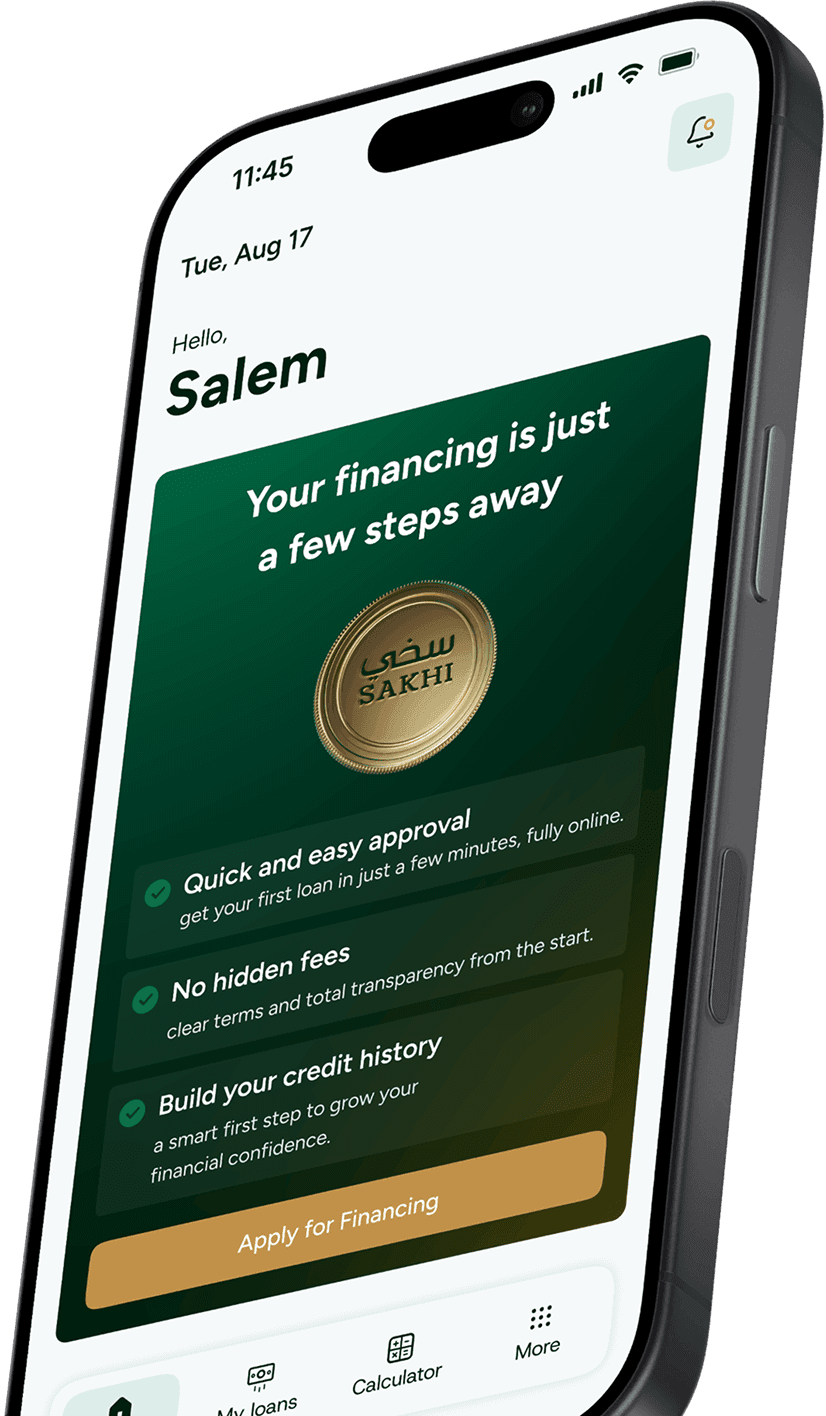
Sakhi is a Saudi financing company offering fully digital consumer financing solutions, with a seamless experience from application to disbursement. Sakhi is supervised and regulated by the Saudi Central Bank
Your information is verified electronically, and once you agree to the terms and conditions, you can complete your application through Sakhi app notices
Yes, Sakhi financing is Shariah-compliant and supervised by a Shariah committee
Sakhi offers fully digital consumer financing solutions
Not currently, Please follow our official channels for updates
You can contact us through the toll-free number 8001110150, the official customer support channels, or Sakhi’s official account on X.
Download the Sakhi app, create your account, check your eligibility, and complete your financing application right from your phone
No, you can only have one active financing product at a time
The maximum amount is determined based on the internal credit assessment. It may reach up to SAR 300,000 with a tenure of up to 36 months, subject to eligibility.
Yes, financing is available to Saudis and residents inside the Kingdom of Saudi Arabia, subject to eligibility
No, a guarantor is not required to apply for Sakhi financing
Once you register and start your financing application, your eligibility will be assessed
Eligibility depends on the credit assessment. You can check your eligibility through the app
Yes, you can choose a lower amount from the options available to you in the app, with a repayment term of up to 36 months
Applications are accepted or declined based on the product requirements and credit assessment
Eligibility depends on several factors, including your income, SIMAH credit assessment, and debt burden ratio
The maximum amount is determined based on the internal credit assessment of your profile, such as income, SIMAH assessment, and debt burden.
Administrative fees are calculated at 0.5% of the financing amount, up to a maximum of SAR 2,500
The profit rate varies based on the customer’s profile and eligibility. The profit rate and any applicable fees will be clearly displayed in the app before signing
The beneficiary may terminate the contract by providing the financier with a written notice, whether in paper or electronic form, to any of the addresses stated in the financier’s contact details for notices in the contract preamble within ten (10) days from the contract date. The financier may request documents proving that the conditions stated in the contract have not been fulfilled.
Eligibility is determined according to Sakhi’s internal credit assessment policy
The status may be updated with SIMAH, which may affect your future credit applications. In some cases, actions may be taken through the relevant authorities in accordance with applicable regulations. Please pay on time to avoid any credit or legal impact
You must be employed in the public or private sector and meet the age, income, and credit eligibility requirements under the applicable product policy
From the payment page in the app, select the installment and your preferred payment method, then complete the payment. Make sure you have sufficient balance or available credit
Your installment is due on the first day of each calendar month
You can pay through the app using Apple Pay, Google Pay, mada, or a credit card. You may also pay by bank transfer to the IBAN shown in the app, if available
The early settlement amount is calculated based on the remaining financing amount plus the profit of the following three months. Early settlement can be completed through the app, and the calculation is done automatically.
Partial payment may be available after coordination with the Collections team. Contact Customer Support for assistance
Yes, you can pay through the app using the available payment methods or by bank transfer to the IBAN stated in your contract
Contact Customer Support immediately through the official channels or at 8001110150, If you suspect fraud, contact us right away
Your status may be updated with SIMAH, which could affect future credit applications. In some cases, further action may be taken through the relevant authorities in accordance with applicable regulations
Payments are usually reflected in the app within one hour, If your payment is not showing, contact Customer Support and provide the transaction details
You can request a clearance letter through the app, and it will be issued within one business day from the closure of the financing contract
Transactions are calculated automatically and reflected in the system automatically. If there is any delay, please contact Customer Support.
Payments are usually updated automatically. If your payment is not reflected, contact Customer Support at 8001110150
The financing amount will be deposited after the regulatory review period, which does not exceed 24 hours
The financing amount will be deposited into your bank account after the regulatory review period, which does not exceed 24 hours
The financing amount can be transferred to a local bank account in Saudi Arabia registered in your name
Contact Customer Support at 8001110150 and provide the transfer reference number or a screenshot of the transaction details
Transfers are available only to local bank accounts in Saudi Arabia. If your bank is local but does not appear in the list, contact Customer Support
The amount will be deposited after the regulatory review period, which does not exceed 24 hours
You can view the contract inside the Sakhi app
Go to Settings and select “Change Mobile Number.” The number must be registered under the account holder’s name and linked to their ID
Make sure that your registered number can receive messages and that the network is working. If the issue continues, contact Customer Support
Select “Forgot Passcode” on the login page and follow the steps, You must have access to your registered mobile number.
This may be a fraud attempt. Contact Customer Support immediately through the official channels
Make sure your ID has been renewed and its details are up to date
There may already be an account registered with your ID, Contact Customer Support for help accessing your account
Update and restart the app. If the issue continues, contact Customer Support through the official channels and attach a screenshot of the issue
Your employment information is updated automatically
Your National Address information is updated automatically after you update it in SPL
The account may be suspended for your protection and for security reason, Please contact Customer Support for assistance
Please contact Customer Support through 8001110150
Please make sure you are using your primary mobile number registered under your name and linked to your ID
Digital financing that fits your plans